
Warehouses & 3PL
Find your way through mixed inventory, changing aisles, and customer-specific storage.
YOUR WAREHOUSE. CONNECTED.
Turn the space you work in into a space you can navigate. Map, find, and track with an iPhone and simple paper markers.
Choose an item on the photo or in the list, then tap its highlighted location to find it.
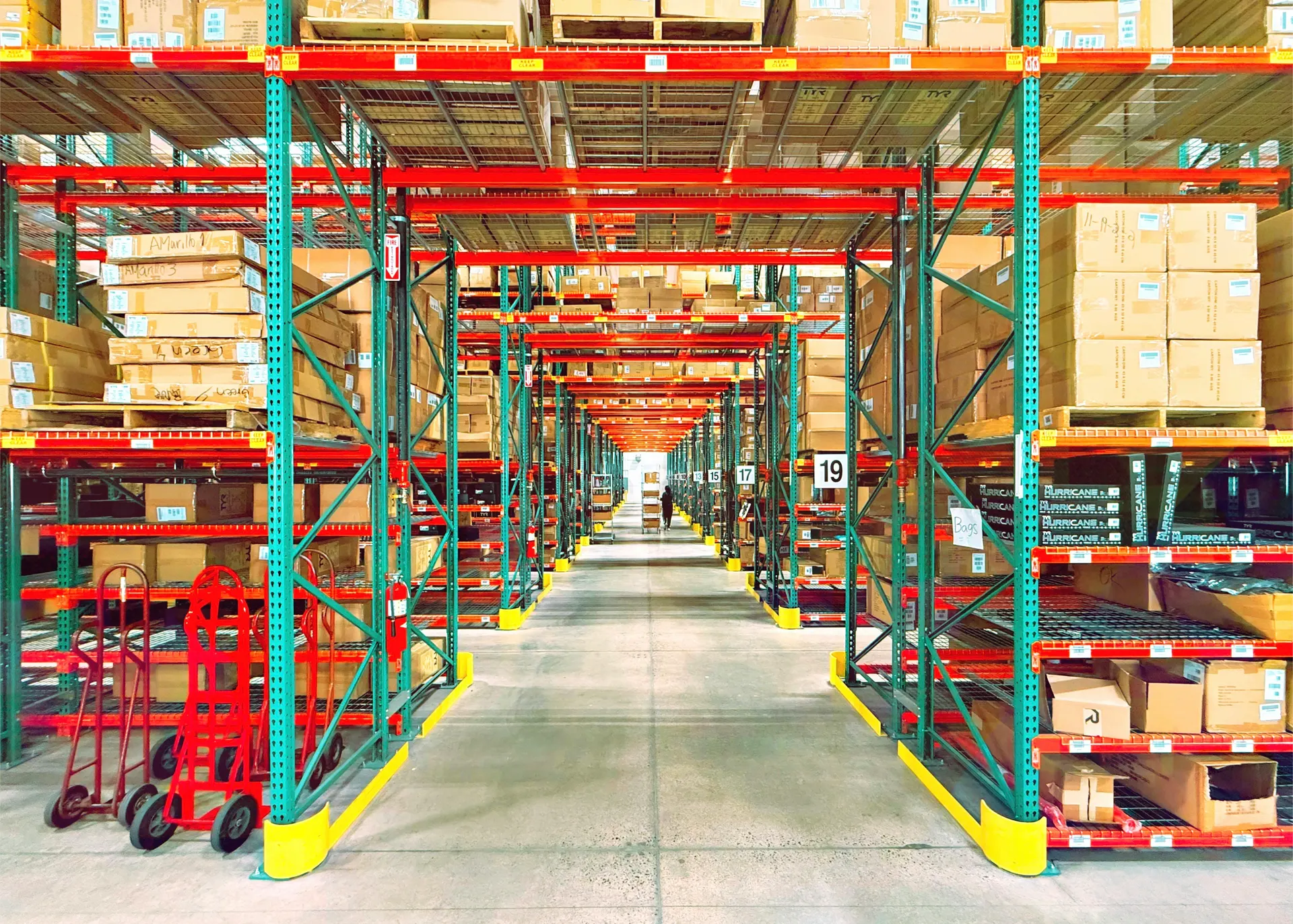
Find your way on the floor.
Now try finding your own inventory with TraceCapture.

Parts bin, Rack A · Bay 02
No beacons. No LiDAR. No complicated installation.
Pick an item. Follow the orange line.SMALL SETUP. BIG DIFFERENCE.
A few paper markers bring your space into focus. Your team takes it from there.
Print paper markers and place them on walls, racks, and waypoints. No wiring, batteries, or specialist hardware.
Works with an ordinary office printerWalk through the space with your iPhone. Sight the markers to build a map of your aisles and storage locations.
Map the space with your phoneTag items, choose a destination, and follow the camera-guided route. Keep every scan and move on record.
Navigate, capture, and track in one appONE APP. THE WHOLE PICTURE.
From the first scan to the final sign-off, keep the physical world and your records in step.
Choose an item, shelf, or bay. Follow the arrow through the camera to get there — even when the floor is unfamiliar.
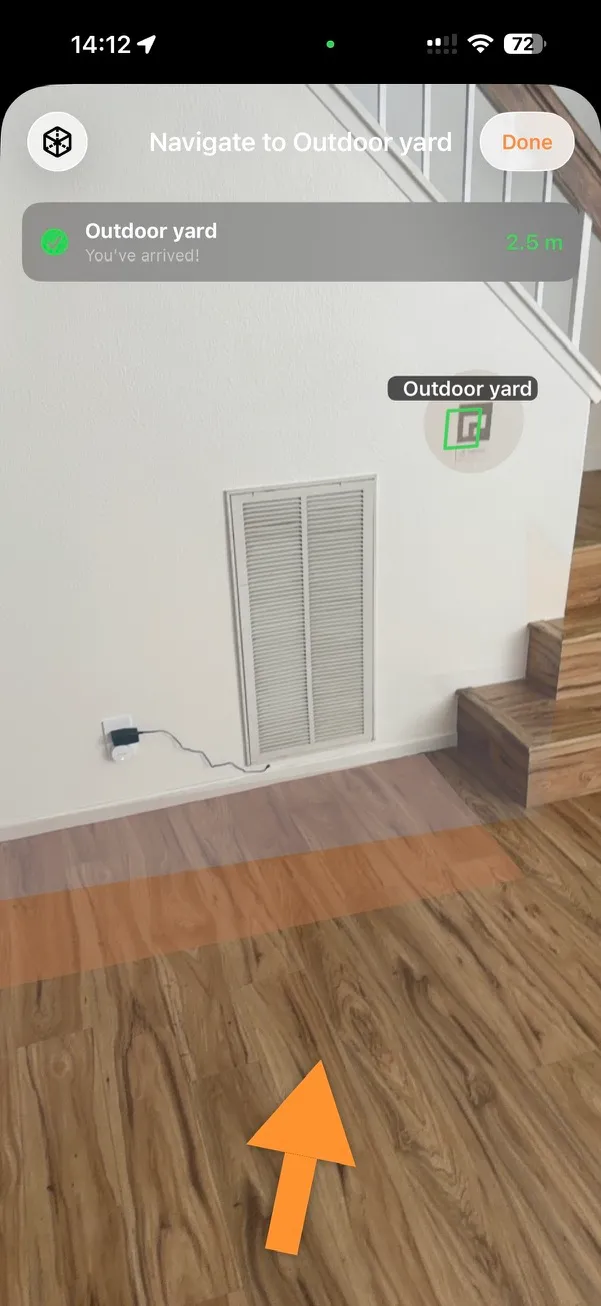
Tap a numbered point to explore the screen.
AR navigation · Actual app screen
Build a living floor plan as you walk. Keep locations connected, explore your storage tree, and see where work is happening.
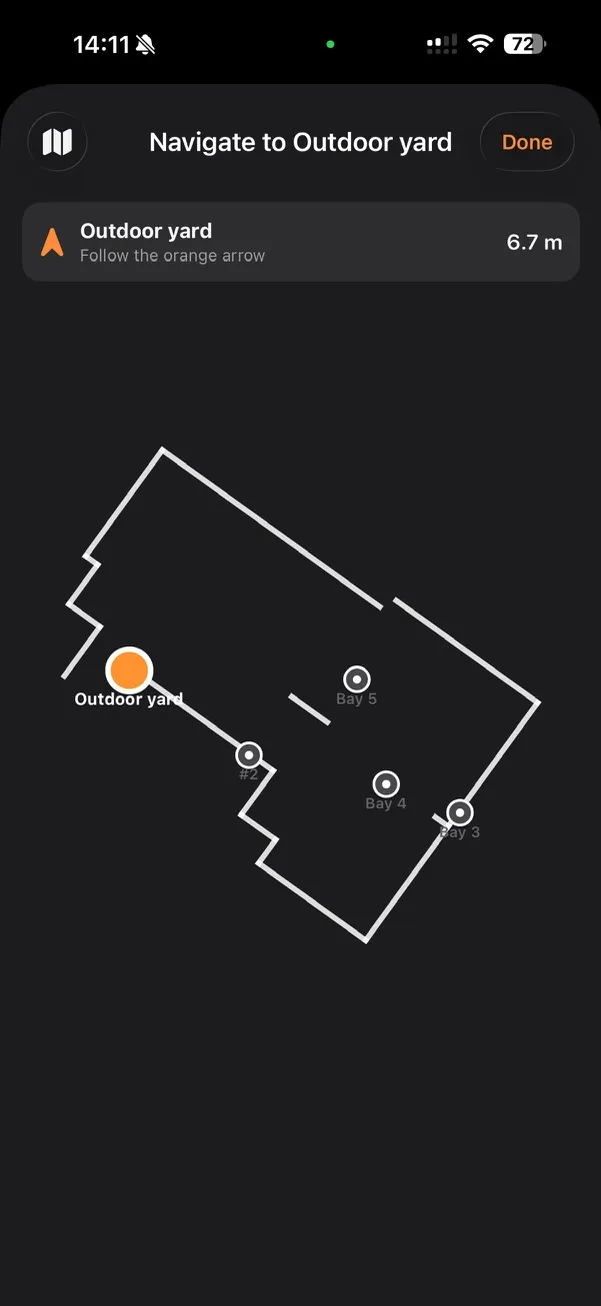
Tap a numbered point to explore the screen.
The floor plan gives you an overview of the mapped space and its storage locations.
The orange point marks the selected destination — the outdoor yard in this example.
Named bays appear in the same floor plan, so your team can locate them in the context of the space.
Floor plan · Actual app screen
Capture items with photos, scan their labels, and move orders from receiving to sign-off. Keep a record of what happened along the way.
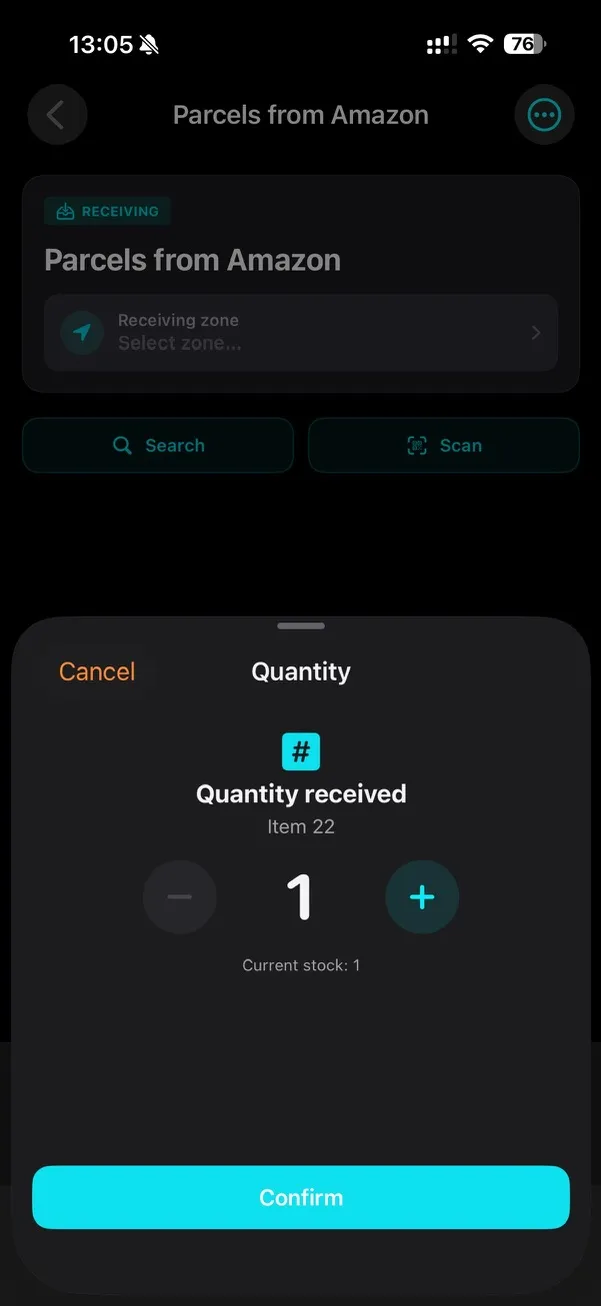
Tap a numbered point to explore the screen.
Adjust the received quantity for the selected item before recording it against the order.
Confirm saves the received quantity. This screen records an item receipt; the order is signed off separately.
Receiving · Actual app screen
Capture, navigate, and sign without a signal. Sync when you reconnect.
Export records and orders. Keep your data on-device or use a backend you control.
An iPhone, its camera, and a set of printed markers. That’s your toolkit.
YOUR NEXT MOVE STARTS HERE.
Map your space. Find your inventory. All on your iPhone.
Planning a team rollout? Request a demo
LESS HARDWARE. MORE POSSIBILITY.
Start with the phone in your pocket and a sheet of paper markers.
| What it takes | Hardware-based systems | TraceCapture |
|---|---|---|
| On the floor | Beacons, anchors, and gateways | Paper markers + an iPhone |
| Installation | Hardware placement and configuration | Print, place, and walk |
| Maintenance | Batteries, power, and equipment | Replace a marker with a printout |
| Layout changes | Hardware or positioning adjustments | Walk the changed area again |
| Item records | Depends on the tracking system | Photos, scans, and order history in one app |
MADE FOR PLACES THAT MOVE.
Find your way through mixed inventory, changing aisles, and customer-specific storage.
Connect workstations and stockrooms. Locate parts and cartons without memorizing the floor.
Photograph, tag, and track items through pack-outs, storage, and signed handoffs.
A FEW GOOD QUESTIONS.
Around 30 cm when a marker is in view within a few meters, under normal warehouse lighting. The closer your markers, the tighter the accuracy — print more and place them denser where it matters.
Print a replacement and stick it up. The map self-heals the moment the new marker is sighted during a walk — no surveyor, no service call. A lost marker only affects its own spot, never the whole floor.
Neither. The markers are paper. The app captures, navigates, searches, and signs fully offline — basements, freezers, remote yards — then syncs automatically when the phone reconnects.
iOS 16 and later. AR navigation runs on A14 (iPhone 12) and newer — no LiDAR required. Older supported devices still handle tagging, scanning, orders, and audit.
Beacons and UWB need hardware on every wall and a five-figure install. We use ARKit plus printed ArUco markers for an absolute coordinate system — RoomPlan gives a floor plan, the markers give it real-world coordinates. Everything runs on-device.
Your choice. Offline-only on the device (SwiftData), or synced to a backend you control (FastAPI + PostgreSQL on AWS, or self-hosted). Same data model either way; you can export a ZIP backup before switching.
Yes. Export the warehouse tree to XLSX, pack-outs and claims to PDF, and the model as JSON of nodes, markers, and item metadata today. glTF mesh and IFC for BIM tooling are on the roadmap. Your data is yours — leave anytime and keep it.
Every scan, move, photo, GPS fix, and signature is written to an append-only log with the operator’s name and a timestamp — the chain of custody insurers ask for. The app’s UI runs in English, Spanish, and Russian, with voice dictation in the field.
TAKE THE FIRST STEP.
Tell us about your space and what you need to find. We’ll help you explore how TraceCapture fits your operation.